
Captures
Your searchable post archive
On Instagram and other feeds, posts scroll away or disappear — and you often can’t find them again. Switchboard keeps the posts you’ve captured as a local archive you can search anytime.
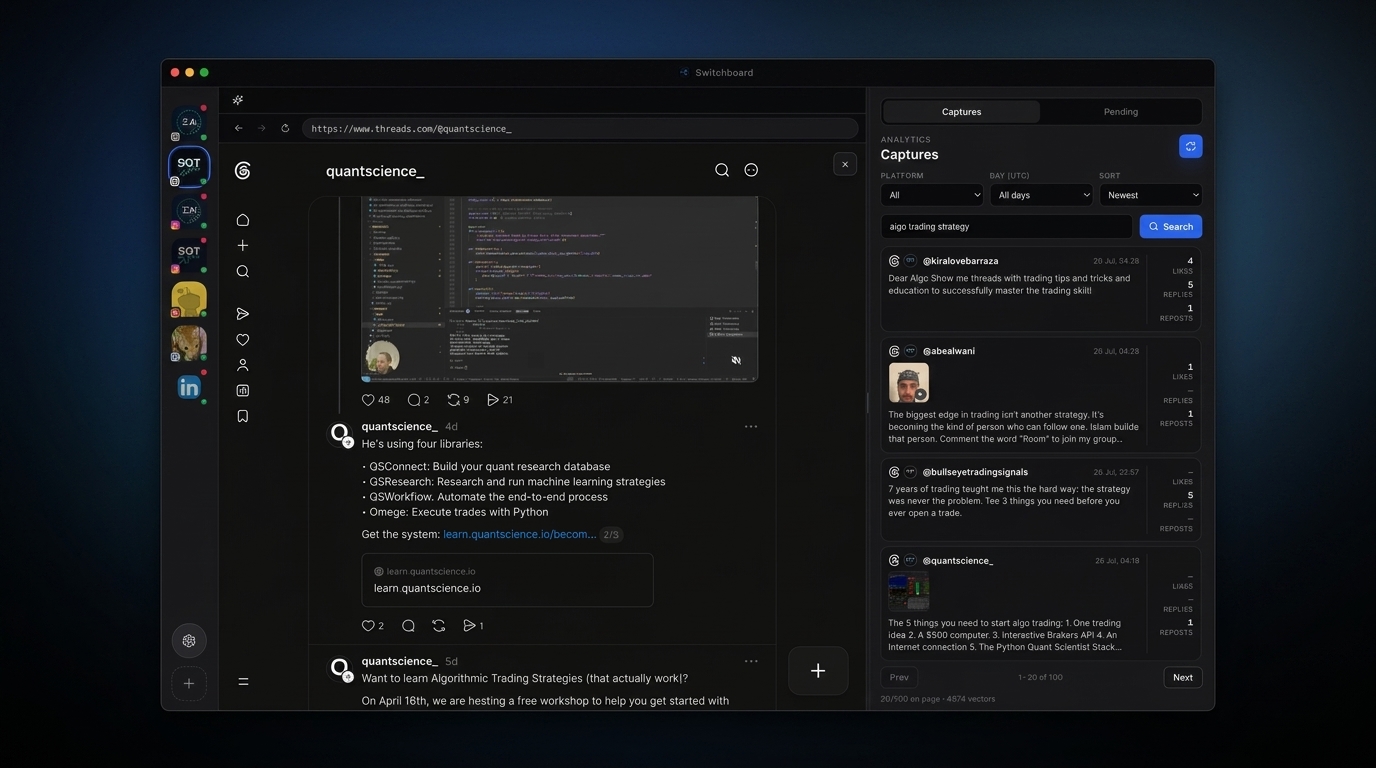
Social feeds bury or drop posts you already saw. Captures turns browsing into a durable archive: Switchboard snapshots posts from supported feeds (including auto-capture on logged-in Instagram and Threads sessions) and stores them locally as JSONL under your machine’s Switchboard data directory.
When optional cloud feed share is enabled for a signed-in NOVAX account, analytical signals can sync to thenovax.com for Intelligence features — but you can keep captures local-only. Either way, embedding search helps you find old posts by meaning, not just keyword matching.
Use Captures when you need proof of what was in the feed, research for drafting, or a history the platform no longer surfaces.
Steps
- 01
Open Captures
Select the Captures tab in the right panel while a supported feed is open.
- 02
Keep what you scroll past
Logged-in sessions can auto-capture as you browse; you can also trigger captures via MCP tools — so old posts aren’t lost when the platform buries them.
- 03
Search your history
Use embedding search to pull up past posts and replies across platforms and days — even when the original feed no longer surfaces them.
Frequently asked questions
Where are captures stored?
Locally under ~/.switchboard/feed-captures/ as deduped JSONL. Optional cloud sync shares analytical signals when you opt in after signing in.
Can I search old Instagram posts I can no longer find in the app?
If they were captured while browsing (or via MCP capture tools), yes — use Captures search to retrieve them across days and platforms.
Does capturing require staying signed in?
Auto-capture runs on logged-in sessions for supported networks. You can also trigger captures through MCP tools while the GUI is open.
Is post text uploaded by default?
No. Captures stay local unless you sign in and opt into cloud feed share. Cloud sharing is designed around analytical signals and tags, not a public dump of full posts.