
Pending
Compose queue
Park drafts per account, edit inline, then schedule or release.
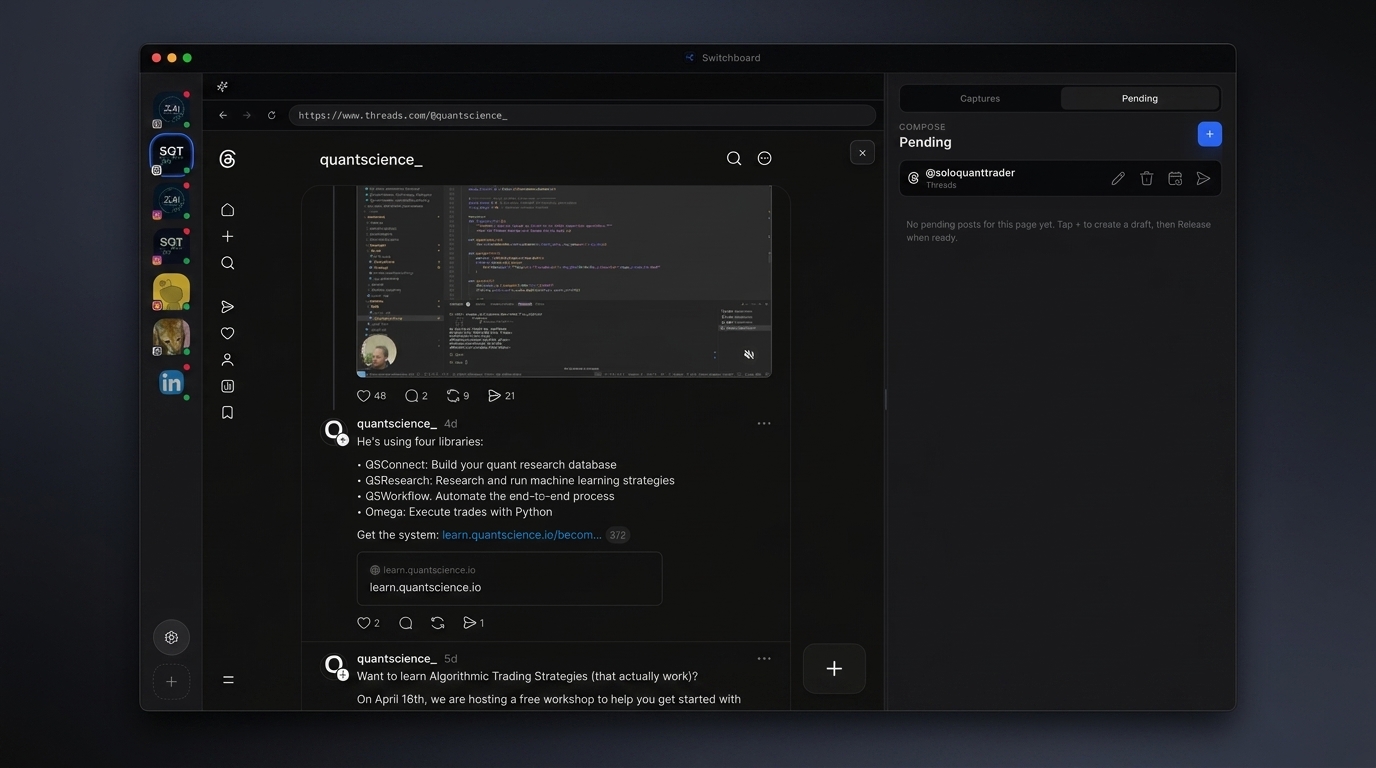
Pending is the per-account compose queue. Park AI or hand-written drafts, edit copy inline, delete what you do not need, and decide whether to schedule or release now — without juggling browser tabs.
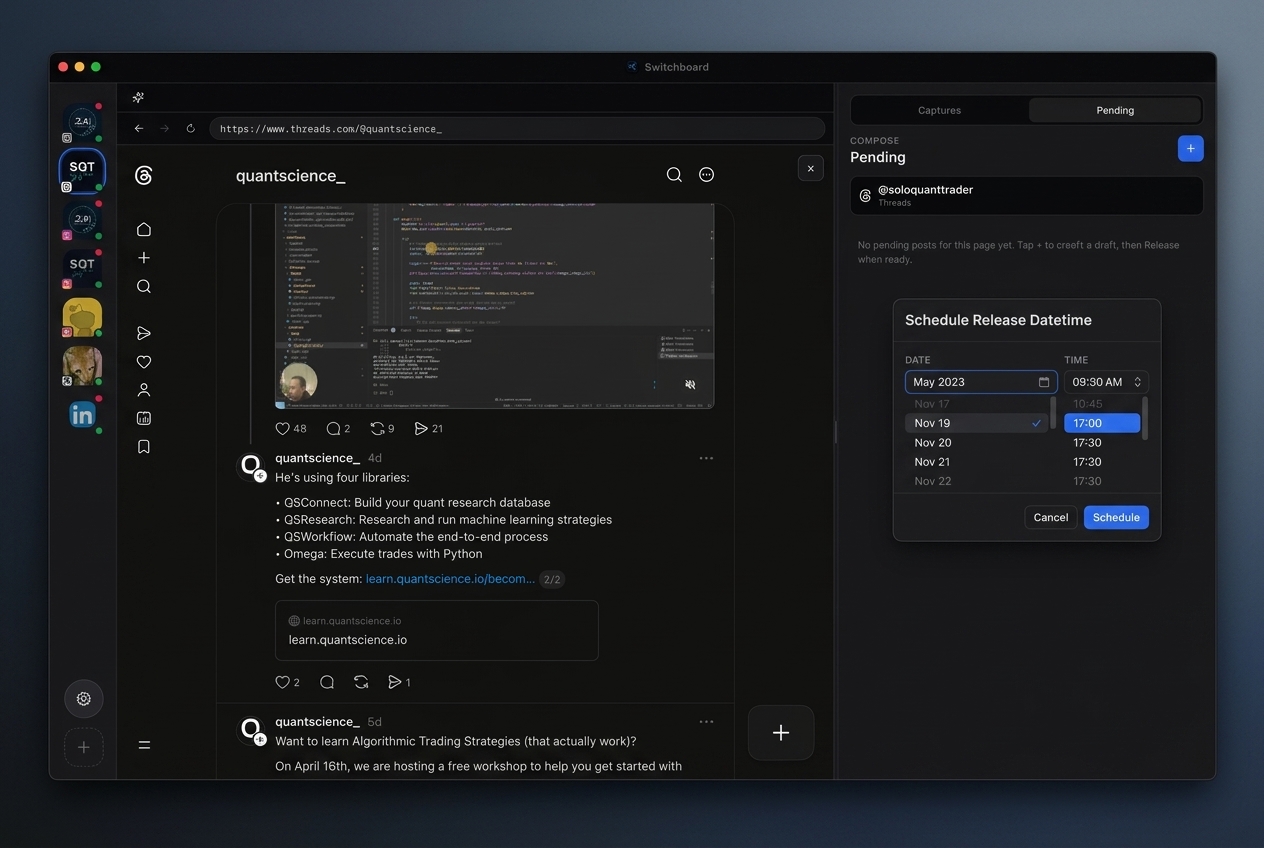
Each card exposes the actions you need for a calm release workflow. Scheduling opens a datetime picker; release uses the live session for that account.
Treat Pending as the last human checkpoint before the network sees the post.
Steps
- 01
Open Pending
Switch to the Pending tab to see drafts for the active account.
- 02
Edit or delete
Use the icon actions on a card to refine copy or remove a draft.
- 03
Schedule or release
Pick Schedule release for a datetime, or Release now to publish from the live session.
Frequently asked questions
Are Pending drafts stored locally?
Yes. Drafts are kept locally per account in Switchboard so you can reopen the app and continue.
Can I schedule from Pending?
Yes. Use Schedule release on a card, pick a datetime, and keep the app open so due drafts can publish.
What happens on Release now?
Switchboard publishes from the live session for that account using the product’s publish flow for the platform.
Can MCP tools fill Pending?
Yes. Many automation tools prefer draft-by-default so agents stage copy into queues you still approve.