
Workspace
Multi-account workspace
Keep every social login in its own session and switch from one sidebar.
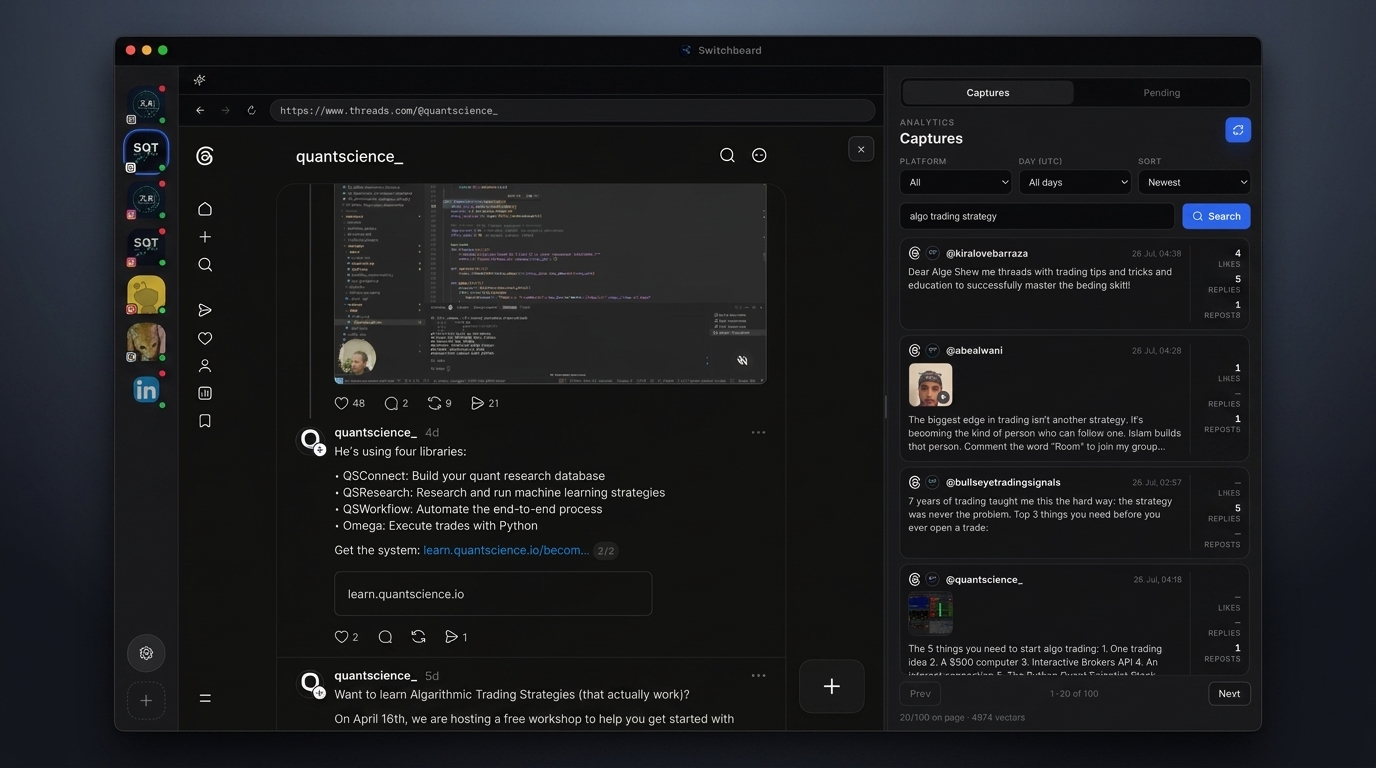
Switchboard is built as a control surface for creators who juggle many social logins. Each page you add opens in its own Electron webview with a dedicated persist partition, so cookies, storage, and login state stay isolated — the same idea as separate browser profiles, but in one window.
The left rail is your account switcher. Avatars (or platform labels) let you jump between Instagram, Threads, X, Facebook, Reddit, and LinkedIn without hunting through browser windows. The center pane is the live site UI, so notifications, feeds, and composer flows work the way the platform ships them.
Use this guide when you are setting up Switchboard for the first time, onboarding a new brand account, or explaining to a teammate how sessions stay clean while you still work from a single Mac app.
Steps
- 01
Add a social page
Click + in the sidebar, pick a network, and sign in inside the embedded browser. Each page uses an isolated persist partition.
- 02
Switch accounts
Use the left avatar stack to jump between Instagram, Threads, X, and more without mixing cookies.
- 03
Browse live
The center pane is a real webview — feeds, notifications, and profiles work like the native site.
Frequently asked questions
Which social networks can I open in the workspace?
Switchboard supports Instagram, Threads, X, Facebook, Reddit, and LinkedIn as isolated pages. You can keep multiple pages open and switch from the sidebar.
Do logins persist after I quit the app?
Yes. Session data lives under ~/.switchboard with per-page persist partitions, so reinstalling or restarting usually keeps you signed in.
Will accounts share cookies with each other?
No. Each page uses its own partition, so cookies and local storage are not mixed across accounts or platforms.
Can I use the real website UI inside Switchboard?
Yes. The center pane is a real webview of the network’s site, not a stripped API client — feeds, profiles, and native composers work as on the web.