
Compose
Draft in your voice
Compose is the writing surface next to your feeds — start from a blank idea, a hot topic, or Surprise me.
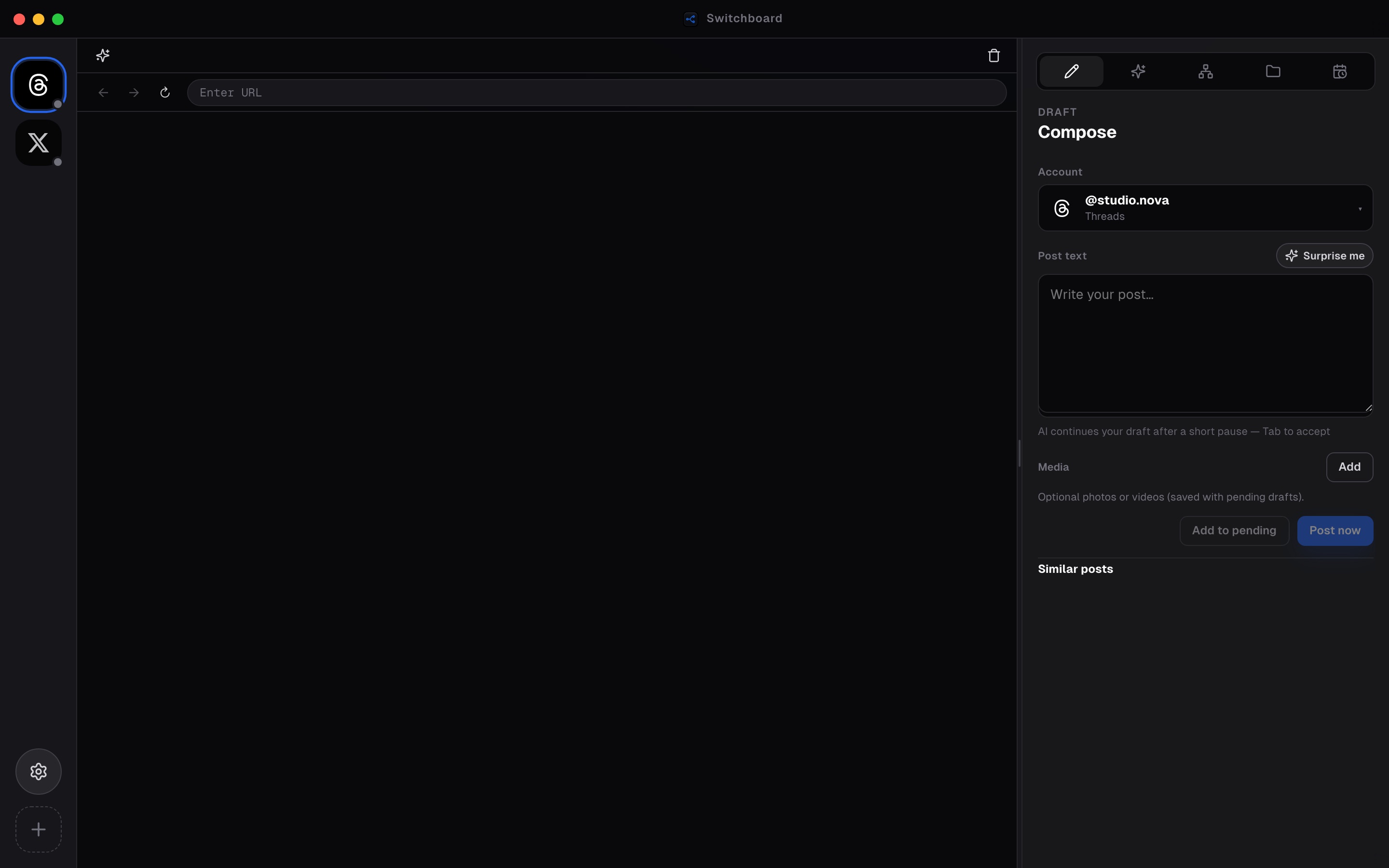
Compose is the writing surface that sits beside your live webviews. Pick the active account, draft in the panel, attach media when needed, and keep similar posts in view so you stay close to the feed you are responding to.
Surprise me and hot-topic flows seed ideas from recent high-engagement patterns and Intelligence signals. AI continuation can help you keep writing — but nothing posts until you choose to queue or publish.
When the draft is ready, send it to Pending for review, scheduling, or an immediate release from the live session. Draft-by-default keeps you in control.
Steps
- 01
Open Compose
Select the Compose tab in the right panel while the account you want to post from is active.
- 02
Start from signal
Type your own idea, pull a hot topic, or use Surprise me to seed a draft from recent high-engagement patterns.
- 03
Refine, then queue
Edit the copy, then send it to Pending to schedule or release when you’re ready.
Frequently asked questions
Which account does Compose post from?
The active page/account in the sidebar. Switch accounts before drafting if you manage multiple logins.
What does Surprise me do?
It seeds a draft idea from recent high-engagement patterns so you are not starting from a blank box.
Are drafts saved if I close the tab?
Use Pending to park drafts per account. Compose is for active writing; Pending is the durable queue before schedule or release.
Can AI finish my sentence?
When cloud AI is available, Compose can continue a draft after a short pause — accept with Tab when you like the suggestion.