
Hot radar
See what’s heating up
Intel turns your captured feeds into a hot-topic radar — ranked themes you can act on instead of guessing the scroll.
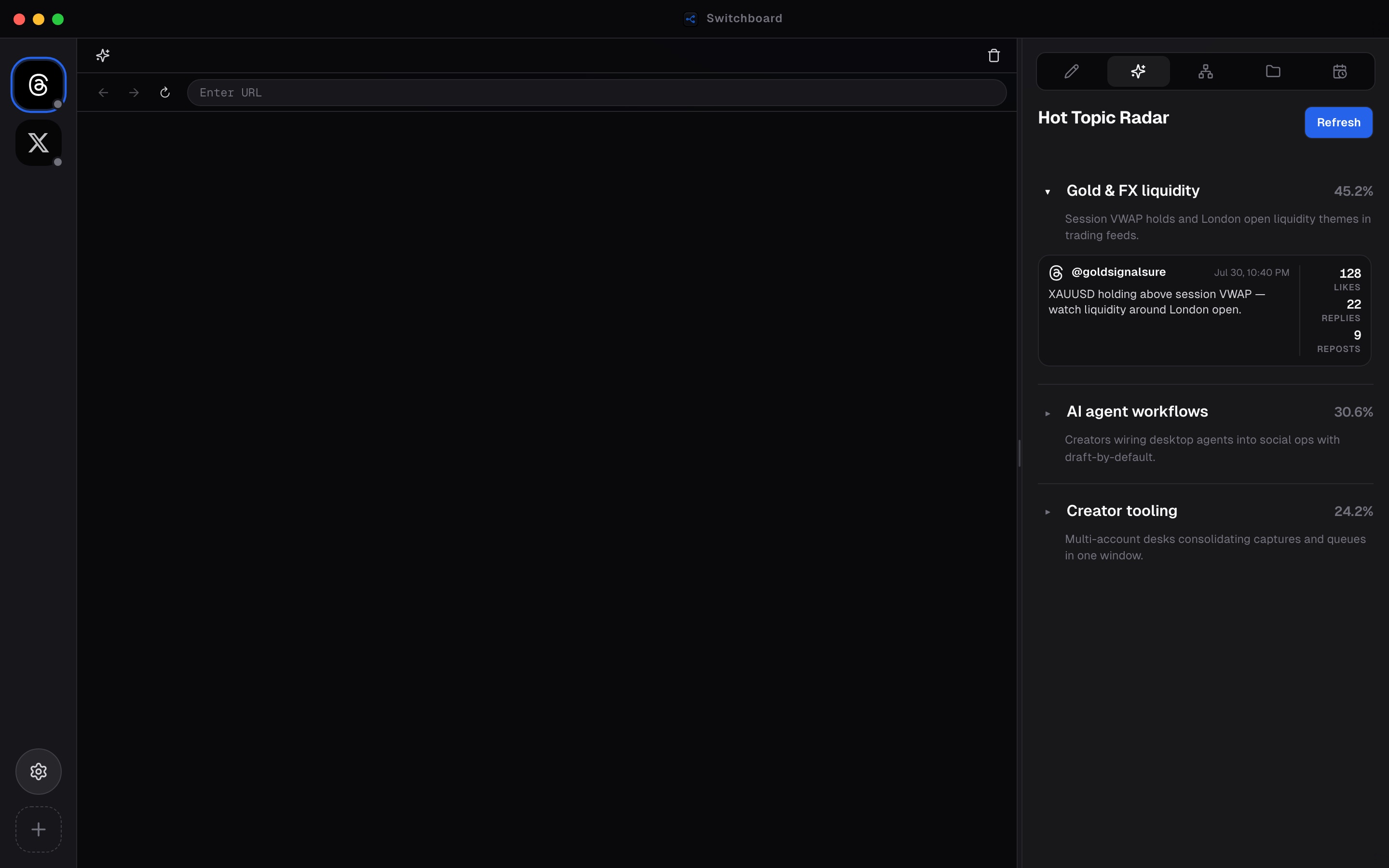
Hot topic radar (Intel) summarizes what is heating up across the feeds you capture. Instead of guessing from an endless scroll, you get ranked themes scored from engagement and recency — with short descriptions that explain why a topic is moving.
Intel is part of Switchboard’s Cloud Intelligence surface. Sign in under Settings → Account, keep capturing high-signal posts, and open the Intel tab to refresh the radar for your language and window.
From a topic card you can drill into supporting examples, then jump into Compose or Generate post when you are ready to write — so drafting starts from evidence, not vibes.
Steps
- 01
Open Intel
Select the Intel tab in the right panel to load the hot-topic radar for your captures.
- 02
Scan ranked topics
Browse themes scored from engagement and recency — each card summarizes why the topic is heating up.
- 03
Drill into a theme
Open a topic to see supporting posts, then jump into Compose or Generate when you’re ready to draft.
Frequently asked questions
Do I need a NOVAX account for Intel?
Cloud Intelligence features like hot topics require signing in under Settings → Account and meeting the product’s access rules (plan, pool contribution, or entitlements).
What makes a topic “hot”?
Topics are ranked from engagement and recency signals in the capture pool available to your account — size, share, and delta help show momentum.
Can I draft from a radar topic?
Yes. Open a theme for supporting posts, then use Compose or Generate post to turn that signal into a draft you review before publishing.
Is the radar language-aware?
Intel requests topics for your app language preference so labels and descriptions match the UI locale when the backend has localized output.